Bring your own AI.
Connect a compatible MCP client on the Studio host, or use a supported HTTPS and OAuth setup from another computer.
 Network Studio
 by DataBunnyLLCBuy · $15
 MAC .PKG · WINDOWS COMING SOON · $15 USD ONE-TIME. BRING YOUR OWN AI AGENT.
Bring your own compatible AI agent into your network diagram. Ask it to inspect devices and connections, or help edit the map with your permission.
Mac: Apple silicon (M1 and later), macOS 13.5 or later. Intel Macs aren’t supported yet. Open the installer package (.pkg) and follow the prompts. Network Studio is signed and notarized by Apple.
Windows coming soonMac installer (.pkg) for Apple silicon is available. The Windows installer is coming soon. $15 USD one-time per platform.
$15 USD one-time per platform. The Mac .pkg is for Apple silicon (M1 and later).
You approve each session. Access is read-only by default; you choose when to allow diagram edits. No account for the base app. Save your diagrams as portable JSON.
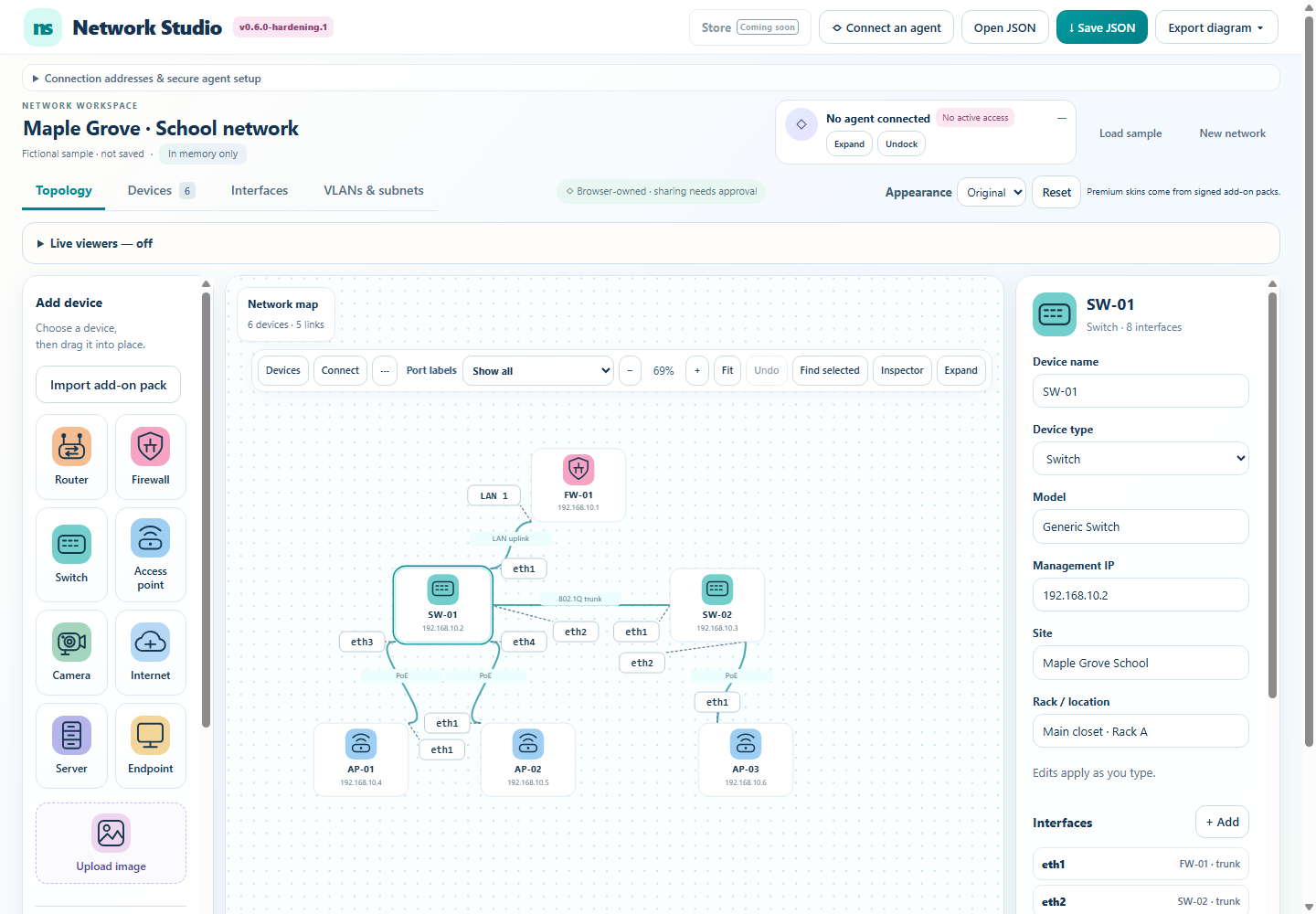
See it in action
Devices, interfaces, VLANs and readable connection labels.
Drag, pan and zoom. Undo when an edit takes a wrong turn.
Save editable JSON. Export SVG, PNG or a printable diagram.
BRING YOUR OWN AGENT. KEEP CONTROL.
Work with the AI agent you already use through a compatible MCP client. Give it context from your diagram and let it help with the details.
Give your agent the Network Studio skill.
Connect a compatible MCP client on the Studio host, or use a supported HTTPS and OAuth setup from another computer.
Start with read-only diagram access. When you enable edits, your agent can update devices, ports, connections and VLANs in the open diagram.
Approve each session in Studio, change its permissions or disconnect. Save your diagram as JSON when you are ready.
SIMPLE BY DESIGN
Use built-in devices or upload your own raster images. Connect named ports and fill in the details that matter.
Once production packs are available, import the local .nspack file, choose its palette category and select its matching skin.
Saved JSON includes only the icon assets used in your diagram. A collaborator can view them without buying the whole pack.
Named setups for Muse, Grok Bot and Dots have not been verified. Compatibility depends on the agent client and its connection setup.
Save JSON before reloading or closing the app. Network Studio trusts the DataBunny publisher key and rejects unsigned or modified packs.
MAC .PKG · WINDOWS COMING SOON · ONE-TIME PURCHASE
Optional packs change its look. They don’t unlock basic diagramming.
$15 USD one-time per platform. Windows and Mac are separate purchases. No subscription.
$15 USD one-time per platform. Buy at the top of the page, then download right here.
Signed .exe installer · coming soon
.pkg installer · Apple silicon (M1 and later) · macOS 13.5+ · Intel not yet
Purchases are the Mac .pkg installer only for now; the Windows installer is coming soon. The Mac .pkg supports Apple silicon (M1 and later); Intel Macs aren’t supported yet.
OPTIONAL ADD-ONS · ONE-TIME PURCHASES
Network Studio is $15 USD one-time per platform (Mac .pkg for Apple silicon; Windows coming soon). Optional icon packs and matching skins are sold separately. Pick a favorite, or choose the current four-pack collection.
Optional icon packs with matching skins. One-time purchases.
YOUR SELECTION
The collection includes the four packs shown today at the sum of their individual prices. Future packs are not included automatically. Genuine signed pack files remain copyable; there is no purchaser DRM.
YOUR ORDER
No account required. This private code lets you recover verified downloads. Save it before leaving for checkout.
Simulate a result to exercise verification. Do not enter real payment details.
Recover verified downloads using the private code you saved. No email or payment information is needed here.